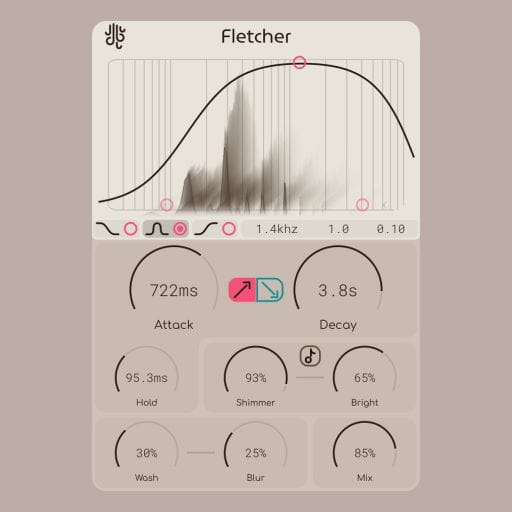
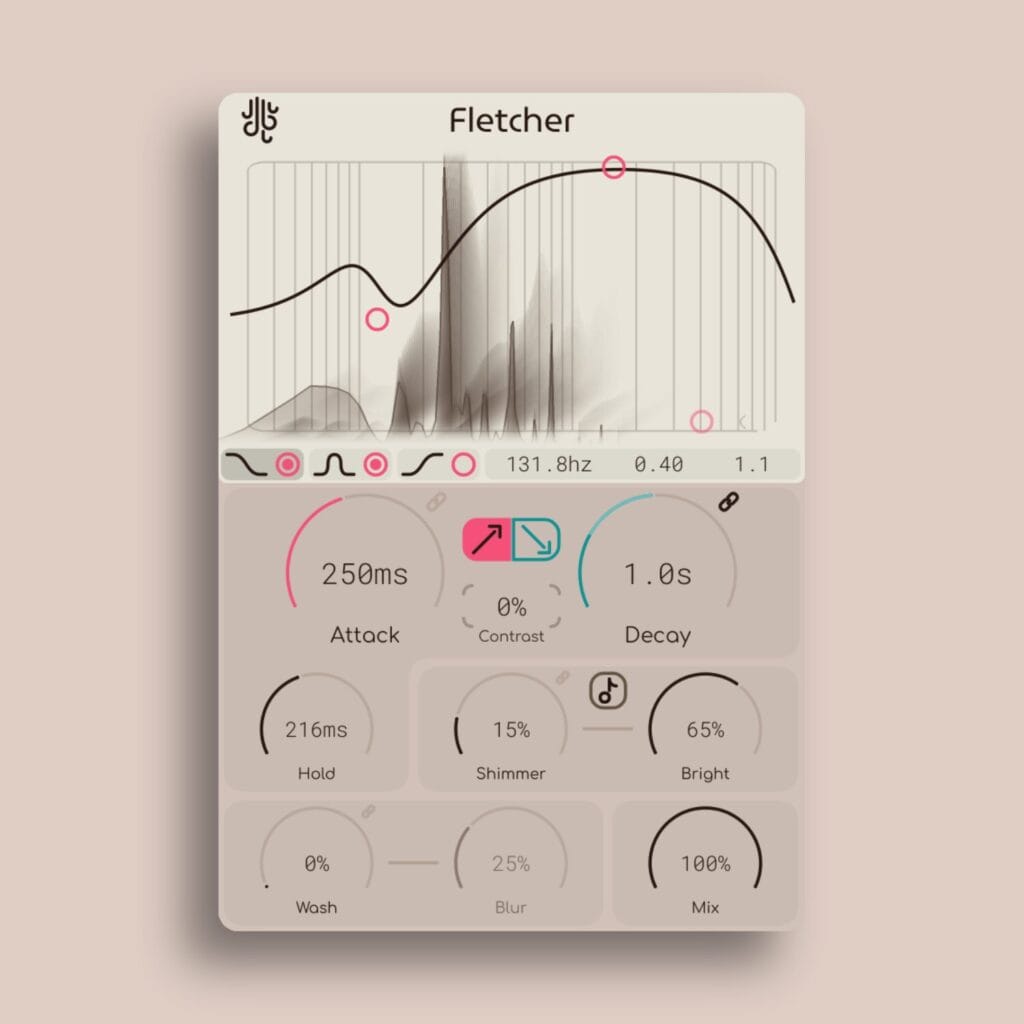
Fletcher is a tool for smoothing time.
Working spectrally (using FFTs), Fletcher takes the current signal’s frequency spectrum and uses it as a “target” to slowly morph the output sound to as time goes on.
Additionally, Fletcher can also add extra sound acting as a “decay”, adding extra sound over time for the morphing to continue even after no sound is coming in.
Fletcher is kind of like a compressor, but also kind of like a reverberator, but not really either one.
But how does Fletcher work?
This visualizer can help. What we have here is the volume contouring of an input sound, and the contour shape changes based on the attack and release values.
It’s better than this though, because the sound is contoured spectrally, letting any section of your frequency spectrum have different contouring.
Click + move your mouse on the visualizer to change the contouring values yourself!
Features
Contrast and Uniformity
The “Fitting” control can be used to have Fletcher automatically pick out non-uniform parts of the spectrum and automatically “level them out”. Additionally, this control can be turned into the negatives to have it act as a sort of “spectral contrast”, adding an additional layer of shaping prior to the attack / decay system.
Also, it’s Playable
Fletcher also has a “Shimmer” control which can auto-detect the pitch of different sounds coming in, and add extra harmonics on top of the signal for extra shine. Additionally, this system can take in MIDI signals so that the harmonics can be “played” by an external MIDI input.
Reviews
All in all a very solid little effect, and definitely not like anything else out there
Leo Fontaine Australia 2026-08-09
James Whitfield Canada 2026-07-16
Fletcher looks intriguing because you don’t immediately know what it is. It’s not a plugin you already have in this form. The smoothing creates interesting effects reminiscent of textures, unusual reverbs, compression, and even spectral filtering. It’s one of these more experimental FX plugins that you only learn through heavy experimentation and see what it really can do. It’s great that Lese continues to create such unusual, inspiring FX; thank you!
Synth Anatomy 2026-07-07
Fletcher is a spectral audio plugin designed for smoothing time by using the current signal's frequency spectrum as a target to gradually morph the output sound.
The Beat Community 2026-06-30
Rachel Ndiaye United Kingdom 2026-06-06
Marcus Canada 2026-06-04
Overview
If you don’t feel like reading the manual, you can check out this video for a look into all of Fletcher’s controls instead:
Fletcher In Action
Listen to this playlist with even more short audio samples of Fletcher in action. You can hit us up if you’ve made anything cool with Fletcher, and we can add it too!
Copy Protection
No dongles
We don’t use any hardware dongle systems for activation, and no activation juggling is nescessary with our plugins.
Licenses are valid on up to 6 computers at once, and you can also do offline activation.
Buy it once, use it forever
We feel that any good tool should try to do it’s best to get out of your way, that’s why our plugins are not subscription based.
No need to worry about license validity here.
No tracking
Our plugins don’t collect any of your personal information.
The only times that they connect to the internet is for activation purposes, and to check for updates and news items (and you can turn these features off).
Updates
Blog posts related to Fletcher
New Plugin Updates: Fletcher 1.1, Frahm 1.3 & more
More updates are here We’ve had a great deal of feedback lately regarding Fletcher, it’s good to hear that so many of you are liking...
Read MoreNow Available: Fletcher; A Time Smoothing, Spectral Audio Plugin
Fletcher is a dynamic temporal smoother. Fletcher is an audio plugin that delves into spectral processing, building off of our Smear plugin. What Fletcher does...
Read More- Intuitive factor band control systems
- Multilayered novel spectral processors
- Auto levelling spectral system
- Low-latency design
- Fully vectorized, resizable interface
Windows: Supports VST3 & AAX
MacOS: Supports VST3, AU & AAX (Intel and ARM)
You can check out the Lese Knowledge Base for Fletcher’s web-based manual.
Also Check Out...
(may only be loosely related, based on how many similar tags they have to Fletcher)